Measuring things in a PDF shouldn't require expensive software
You need to know the exact width of a logo in a PDF brochure. Or the margin between a text block and the page edge. Or whether a photo in a layout is sized correctly for print. On macOS, Preview can tell you the overall page dimensions, but it has no way to measure arbitrary regions within a page.
Adobe Acrobat Pro has a measuring tool, but paying for an Acrobat subscription just to measure a few dimensions feels excessive. And online PDF tools can't offer this kind of interactive measurement because it requires rendering the page and tracking mouse input in real time — something only a native desktop application can do well.
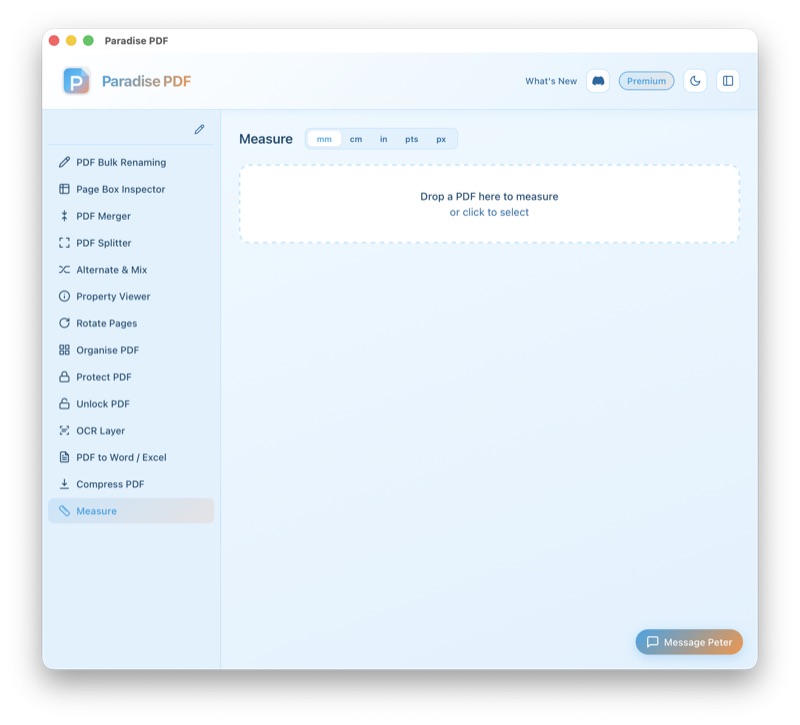
Paradise PDF's Measure tool lets you draw a rectangle anywhere on a PDF page and instantly see its width and height in your preferred unit: millimetres, centimetres, inches, or PDF points. The measurement is calculated from the PDF's coordinate system, so it reflects the actual document dimensions — not the screen display size at your current zoom level. Built with Rust and Swift, the tool is native to macOS and renders pages at full fidelity on both Apple Silicon and Intel Macs.
How it works
- Open your PDF. Drag the file into Paradise PDF or use the file picker. The document opens at full resolution with page-accurate rendering.
- Select the Measure tool. Activate the measuring mode from the toolbar. Your cursor changes to a crosshair to indicate that measurement is active.
- Draw a rectangle. Click and drag on the page to draw a measurement rectangle over the area you want to measure. As you drag, the width and height update in real time, displayed alongside your cursor and in the measurement panel.
- Read the dimensions. The width and height of your rectangle are displayed in your chosen unit (mm, cm, inches, or points). You can switch units on the fly without redrawing. The position coordinates (x, y from the page origin) are also shown for precise placement reference.
- Measure additional areas. Draw as many measurement rectangles as you need. Navigate to other pages and measure there too. Measurements are non-destructive and don't modify the PDF file.
Common use cases for measuring PDF dimensions on Mac
Verifying print-ready layouts. Graphic designers on Mac need to confirm that images, text blocks, and margins meet the specifications provided by the printer. The Measure tool lets you verify that a bleed extends 3mm beyond the trim, that a logo is exactly 40mm wide, or that column gutters are consistently 5mm — all without leaving Paradise PDF.
Checking architectural and engineering drawings. When reviewing PDF plans on macOS, being able to measure specific elements — door widths, room dimensions, setback distances — directly in the PDF saves time compared to switching to specialised CAD software. While Paradise PDF's Measure tool works in document units (not scaled drawing units), it provides a quick way to check proportions and relative sizes.
Sizing elements for web and digital design. When extracting design specifications from a PDF mockup, the Measure tool tells you the exact pixel-equivalent dimensions of buttons, headers, images, and spacing. Convert from points to pixels (1 point = 1.333 pixels at 96 DPI) for accurate digital reproduction.
Quality-checking scanned documents. After scanning and OCR, you might need to verify that the output PDF matches the original paper dimensions. The Measure tool confirms that an A4 scan is truly 210 x 297mm and that margins haven't shifted during the scanning process.
Academic and research work. Researchers preparing figures for journal submissions often need to meet strict dimension requirements (e.g., "figures must be 85mm or 170mm wide"). The Measure tool on macOS lets you verify figure widths directly in the PDF proof before submission.
Key features
- Draw measurement rectangles anywhere on any page
- Real-time width and height display as you drag
- Four unit options: millimetres, centimetres, inches, and PDF points
- Switch units instantly without redrawing measurements
- Position coordinates (x, y from page origin) for precise reference
- Measurements calculated from the PDF coordinate system, not screen pixels
- Works on any page size: A4, Letter, A3, custom dimensions, and more
- Non-destructive — measurements don't modify the PDF file
- Native macOS rendering at full page fidelity on Apple Silicon and Intel
- Zoom in for sub-millimetre precision on detailed areas
All processing happens on your Mac
Paradise PDF renders your document and calculates measurements entirely on your local machine. Your PDF files are never uploaded to any server. This makes the Measure tool safe to use with confidential blueprints, proprietary designs, pre-release marketing materials, and any other documents that shouldn't leave your Mac.
Related tools
Measure anything in your PDFs on Mac
Download Paradise PDF and start measuring dimensions, margins, and element sizes directly in your documents — no Acrobat subscription needed.
Download Paradise PDF
macOS 13 Ventura or later · Apple Silicon & Intel