Understanding the five page boxes in every PDF
Every page in a PDF file can define up to five rectangular boundaries, known as page boxes. These boxes control how the page is displayed on screen, how it's cropped, where the bleed area extends for printing, where the trim line falls, and what region contains the actual artwork. Most Mac users never think about them, but for anyone in print production, graphic design, or PDF development, these boxes are critical.
The five boxes are: MediaBox (the full physical page size), CropBox (the visible area when viewing the PDF), BleedBox (the area including bleed for print), TrimBox (the intended final page size after trimming), and ArtBox (the region containing meaningful content). When these boxes are wrong — or missing — you get printing problems, unexpected cropping, or misaligned output.
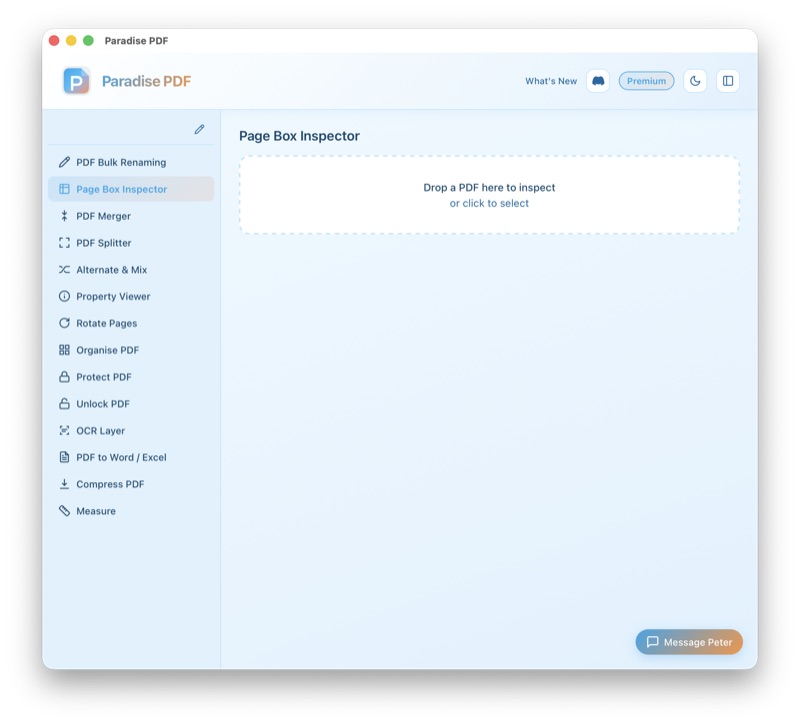
Paradise PDF's Page Box Inspector lets you view all five boxes for every page in a document, overlaid visually on the page. You can see their exact coordinates in points, millimetres, or inches, and edit them directly when corrections are needed. Built with Rust and Swift, the tool runs natively on macOS and processes even complex, multi-hundred-page documents instantly.
How it works
- Open your PDF. Drag the file into Paradise PDF. The Page Box Inspector displays the first page with all defined boxes overlaid as coloured rectangles, each labelled with its box type.
- Navigate pages. Step through each page in the document to see its individual box definitions. Pages with mismatched or missing boxes are flagged so you can spot issues quickly.
- Inspect box coordinates. Click on any box to see its exact coordinates (lower-left x, lower-left y, upper-right x, upper-right y) displayed in your preferred unit: points, millimetres, centimetres, or inches. The width and height of each box are calculated and displayed automatically.
- Edit boxes (optional). Adjust box coordinates numerically or by dragging the box edges directly on the page preview. Changes are applied to individual pages or propagated to all pages in the document.
- Save the modified PDF. When you've adjusted the page boxes, save the file. All other document content — text, images, annotations, bookmarks — remains untouched.
Common use cases for inspecting PDF page boxes on Mac
Pre-press verification. Before sending a file to a commercial printer, you need to verify that the TrimBox and BleedBox are correctly defined. The Page Box Inspector on your Mac shows you exactly where these boundaries fall relative to the page content, preventing costly print errors like missing bleed or incorrect trim marks.
Fixing cropped or shifted content. When a PDF displays incorrectly — with content cut off or shifted to one side — the problem is almost always an incorrect CropBox or MediaBox. The Page Box Inspector shows you the current values and lets you correct them without regenerating the entire document.
Debugging PDF generation code. Developers building PDF export features need to verify that their code sets page boxes correctly. The Page Box Inspector on macOS provides instant visual feedback: you can see whether the TrimBox matches the intended page dimensions and whether the BleedBox extends the correct distance beyond it.
Standardising page boxes across a document. Documents assembled from multiple sources often have inconsistent page boxes — some pages might define a CropBox while others don't, or TrimBox values might vary page to page. The inspector lets you identify inconsistencies on your Mac and apply uniform values across the entire document.
Adjusting art boards for packaging. Packaging designers work with irregular page dimensions and precise die-cut lines. The ArtBox defines the meaningful content area, and getting it right is essential for accurate proofs. The Page Box Inspector on macOS lets you set the ArtBox precisely without opening the file in an expensive design application.
Key features
- Visual overlay of all five page boxes (MediaBox, CropBox, BleedBox, TrimBox, ArtBox)
- Colour-coded boxes with labels for easy identification
- Exact coordinates displayed in points, mm, cm, or inches
- Automatic width and height calculation for each box
- Edit box values numerically or by dragging edges on the preview
- Apply changes to individual pages or all pages in the document
- Flags pages with missing or inconsistent box definitions
- Native macOS performance — instant rendering on Apple Silicon and Intel Macs
- Non-destructive: only page box values are modified, all other content is preserved
All processing happens on your Mac
Paradise PDF reads and modifies page box definitions entirely on your local machine. Your PDF files are never uploaded to a server, and no document data is transmitted over the internet. For print production files that may contain proprietary designs or client artwork, local processing on macOS is the only approach that guarantees confidentiality.
Related tools
Inspect and fix PDF page boxes on your Mac
Download Paradise PDF and get full visibility into the page boundaries that control how your documents display, crop, and print.
Download Paradise PDF
macOS 13 Ventura or later · Apple Silicon & Intel