See everything about a PDF without opening it in an editor
Finder's Get Info panel tells you the file size and creation date of a PDF, but nothing about what's inside. How many pages? What dimensions? Which fonts are embedded? Is the file encrypted? What PDF version is it? These are questions Mac users regularly need answered, and macOS doesn't provide an easy way to find out.
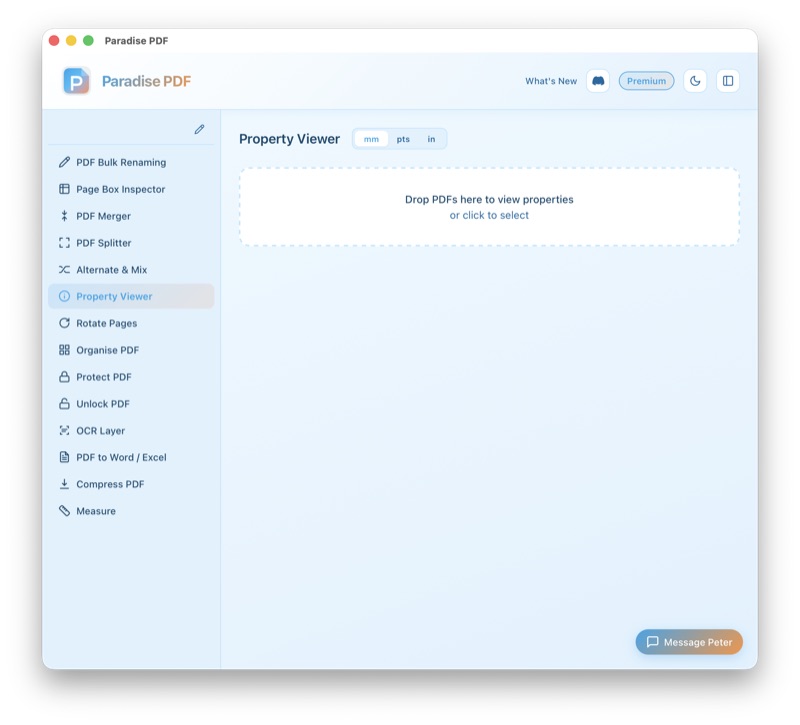
Paradise PDF's Property Viewer gives you a complete breakdown of any PDF's internal structure without modifying the file. Drop a document in and immediately see its metadata (title, author, subject, keywords, creator application), page-by-page dimensions, embedded font list, encryption status, PDF version, and total file size with a breakdown of what's contributing to it.
This is a tool for anyone who works with PDFs professionally on a Mac — designers checking page sizes before print, developers debugging PDF generation, archivists verifying metadata compliance, or IT staff auditing encryption. It surfaces the information you need without requiring you to open a hex editor or run command-line tools.
How it works
- Open a PDF. Drag and drop any PDF file into Paradise PDF, or use the file picker. The Property Viewer instantly parses the document and displays its properties.
- Browse document metadata. View the title, author, subject, keywords, creator application, producer, creation date, and modification date. All fields from the PDF's Info dictionary and XMP metadata stream are displayed.
- Inspect page details. See each page's dimensions (width and height in points, mm, or inches), rotation, and associated page boxes (MediaBox, CropBox, etc.). Pages with different sizes are highlighted so you can spot inconsistencies.
- Review fonts and encryption. View the list of every font embedded in the document, including whether each font is subset or fully embedded. Check the encryption status and permission flags at a glance.
- Copy or export. Copy any property value to your clipboard with a click, or export the full property report as plain text for documentation or auditing purposes.
Common use cases for inspecting PDF metadata on Mac
Pre-flight checks for print. Before sending a PDF to a commercial printer, designers need to verify page dimensions, bleed areas, and embedded fonts. The Property Viewer shows all of this on your Mac without requiring Adobe Acrobat or a separate pre-flight tool.
Debugging PDF generation. Developers building PDF export features need to verify that their code produces the correct metadata, page sizes, and font embedding. Paradise PDF's Property Viewer provides instant feedback during development on macOS.
Auditing document metadata. Before sharing a PDF externally, organisations often need to verify (or strip) metadata like author names, creation dates, and software versions. The Property Viewer shows exactly what metadata a PDF contains so you can decide whether to clean it before distribution.
Verifying PDF/A compliance. Archival standards like PDF/A have specific requirements for embedded fonts, metadata, and encryption. The Property Viewer helps you check whether a document meets these requirements on your Mac before submitting it to an archive.
Understanding file size. When a PDF is unexpectedly large, the Property Viewer helps you understand why. You can see the total page count, embedded font count, and image compression methods to identify what's contributing to the file size.
Key features
- Complete metadata display: title, author, subject, keywords, creator, producer, dates
- Per-page dimensions in points, millimetres, and inches
- Full embedded font inventory with subset and encoding details
- Encryption status and permission flags (print, copy, edit, etc.)
- PDF version identification
- Page box information (MediaBox, CropBox, BleedBox, TrimBox, ArtBox)
- File size breakdown
- One-click copy of any property value
- Instant loading — native Rust performance on Apple Silicon and Intel Macs
- No file modification — strictly read-only inspection
All processing happens on your Mac
Paradise PDF reads and displays PDF properties entirely on your local machine. The file is never uploaded, and no metadata is transmitted anywhere. This is especially important when inspecting documents that contain sensitive author information, internal tracking data, or confidential metadata. Everything stays private on your Mac.
Related tools
Inspect any PDF on your Mac instantly
Download Paradise PDF and see every detail of your documents — metadata, fonts, page sizes, encryption, and more — without leaving macOS.
Download Paradise PDF
macOS 13 Ventura or later · Apple Silicon & Intel