Make PDFs smaller without making them worse
A 48 MB PDF won't attach to most emails. A 120 MB scan folder eats through your cloud storage. And uploading confidential documents to an online compression service just to reduce their size is a privacy trade-off most people shouldn't be making.
Paradise PDF compresses PDF files directly on your Mac. It's a native macOS application built with Rust and Swift that reduces file sizes by optimising images, removing redundant data, and streamlining the internal structure of your PDFs. The result is a smaller file that looks the same as the original when viewed or printed.
There's no upload step, no server involved, and no waiting for a round trip to someone else's infrastructure. You drop in a file, choose your compression level, and get a smaller PDF in seconds. That's the entire workflow for compressing a PDF on macOS.
How to compress a PDF on Mac
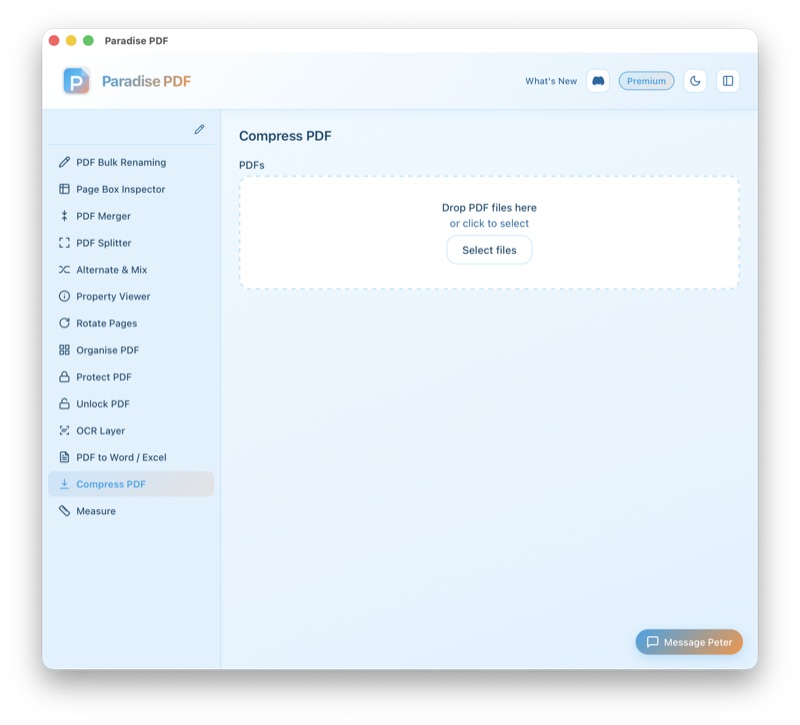
- Open Paradise PDF and select the Compress tool from the sidebar. The interface shows you exactly what you need — no clutter, no upsells.
- Add your PDF. Drag a file from Finder or click to browse. Paradise PDF displays the current file size immediately so you can see what you're starting with.
- Choose your compression level. Select from preset options that balance size reduction against quality. For most documents, the default setting delivers significant savings with no visible difference.
- Click Compress. The app processes your PDF locally using optimised Rust code. You'll see the new file size as soon as it's done, along with the percentage reduction.
- Save the compressed file. Export to your chosen location. The original PDF remains untouched — compression always creates a new file.
When you need to reduce PDF size on macOS
Email attachments
Most email providers cap attachments at 10–25 MB. Scanned documents, image-heavy reports, and design files frequently exceed this. Compress them to fit within the limit without splitting into multiple emails.
Uploading to portals and forms
Government portals, university applications, and insurance claims often impose strict file size limits — sometimes as low as 5 MB. A good PDF compressor for Mac lets you meet these requirements without removing content.
Saving storage space
If you archive hundreds or thousands of PDFs, compression adds up. Reducing each file by 60–80% can reclaim gigabytes of disk space or iCloud storage over time.
Sharing via messaging apps
Slack, WhatsApp, and iMessage all have file size limits. A compressed PDF shares instantly instead of timing out or being rejected by the platform.
Speeding up web uploads
Smaller files upload faster. If you're publishing PDFs to a website or CMS, compressed files mean faster page loads for your visitors and lower bandwidth costs for you.
Key features of the PDF compressor
- Smart image optimisation: Embedded images are recompressed at an optimal quality level. Text and vector graphics remain sharp and unaffected.
- Multiple compression levels: Choose how aggressively to compress. Light compression preserves maximum quality; heavy compression prioritises the smallest possible file size.
- Size reporting: See the original size, compressed size, and percentage reduction at a glance. You know exactly what you saved.
- Batch-ready: Compress multiple PDFs in sequence without re-opening the tool each time.
- Non-destructive: Your original file is never modified. Compression creates a new, smaller copy.
- Native performance: Compression runs in compiled Rust code, not in a browser or Java runtime. Large files compress quickly even on older Macs.
- Works offline: No internet connection needed. Shrink PDF files on Mac anywhere, anytime.
All processing happens on your Mac
Paradise PDF compresses your documents entirely on your local machine. No files are uploaded to any external server. No document content is transmitted, analysed, or stored anywhere outside your Mac.
This is especially important for compressing sensitive materials — financial reports, medical records, legal contracts, and personnel files. When you reduce PDF size on macOS with Paradise PDF, your documents stay under your control from start to finish.
Better than online PDF compressors
Browser-based compressors require uploading your document to a third-party server. For a 50 MB file, you're waiting for the upload, the compression, and the download. And your document passes through infrastructure you don't control — problematic for anything confidential.
Preview.app on macOS has a "Reduce File Size" export option, but it applies aggressive, non-configurable compression that often destroys image quality. Text can become blurry and photos turn into blocky artifacts. There's no way to control the trade-off.
Adobe Acrobat offers good compression controls, but it requires a subscription. If you compress PDFs regularly but don't need Acrobat's full editing suite, you're paying for features you don't use.
Paradise PDF gives you controlled, high-quality PDF compression on Mac with native speed, full privacy, and a one-time purchase price. No subscriptions, no uploads, no compromises on quality.
Related tools
Ready to compress PDFs on your Mac?
Download Paradise PDF and shrink your first file in under a minute. No account required.
Download Paradise PDF
macOS 13 Ventura or later · Apple Silicon and Intel