Why PDF protection matters — and why it should happen on your Mac
Sending an unprotected PDF is like sending a document without an envelope. Anyone who receives it can copy the text, edit the content, or print unlimited copies. For contracts, financial statements, medical records, and intellectual property, that's a problem.
PDF encryption solves this by requiring a password to open the file, or by restricting what actions a recipient can take (printing, copying text, editing) even after they open it. The catch with most online PDF protection tools is that you have to upload your sensitive document to someone else's server — which rather defeats the purpose of protecting it.
Paradise PDF encrypts your documents entirely on your Mac. Your files never leave your machine, your password is never transmitted, and the encryption is applied using industry-standard AES algorithms. Built with Rust and Swift, the app runs natively on macOS with full Apple Silicon optimisation, so even large documents are encrypted in seconds.
How it works
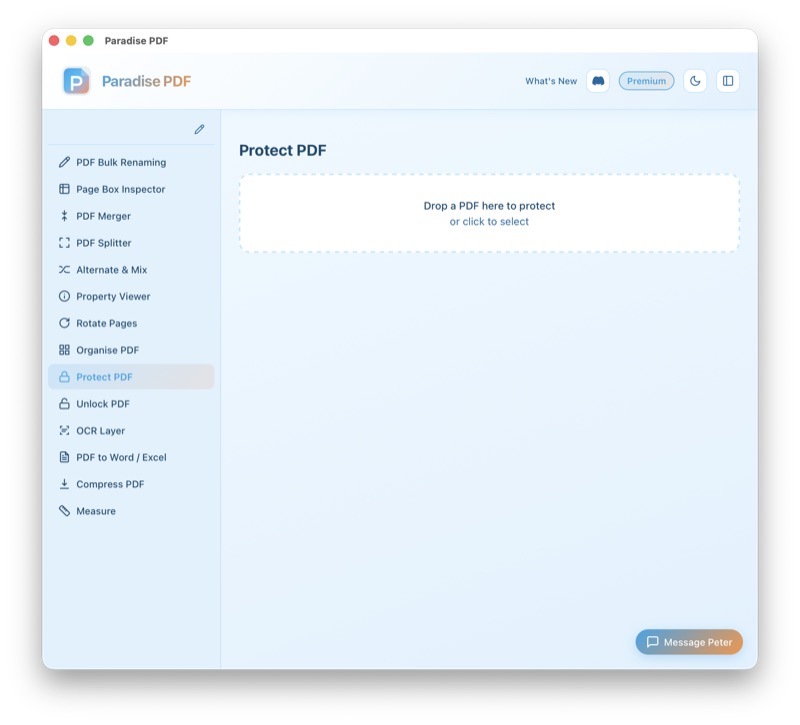
- Open your PDF. Drag the file into Paradise PDF or use the file picker. The tool works with any unencrypted PDF, regardless of size or complexity.
- Set an open password (optional). If you want to restrict who can open the document, set an "open" (user) password. Anyone without this password won't be able to view the contents at all.
- Set permissions and an owner password. Choose which actions to allow or restrict: printing, copying text, editing, form filling, and annotation. Set an owner password that controls these permissions. Recipients can open the document (with or without the user password) but cannot perform restricted actions without the owner password.
- Save the protected PDF. Paradise PDF writes the encrypted file to your chosen location. The original unencrypted file is preserved unless you choose to overwrite it.
Common use cases for password protecting PDFs on Mac
Securing confidential contracts. Before emailing a contract or NDA, add an open password so only the intended recipient can view it. Share the password through a separate channel (phone, text message, or a secure messaging app) for an extra layer of security.
Restricting editing on published documents. If you distribute reports, whitepapers, or proposals as PDFs, permission restrictions prevent recipients from modifying the content, extracting text, or copying sections without authorisation. The document remains readable but tamper-resistant.
Protecting medical and legal records. Healthcare providers and law firms on Mac can add encryption to patient records, case files, and evidence documents before storing or transmitting them. Because Paradise PDF processes everything locally, these sensitive files never touch a third-party server.
Controlling print distribution. Photographers, designers, and publishers can disable printing in a PDF to prevent unauthorised reproduction of portfolios, proofs, or licensed content. Recipients can view the document on screen but cannot print physical copies.
Securing internal company documents. HR policies, financial forecasts, and strategic plans shared internally as PDFs can be encrypted to prevent leaks. Restrict copying and editing so the document can be read but not easily forwarded or altered.
Key features
- AES-128 and AES-256 encryption options for maximum compatibility or maximum security
- Separate user (open) and owner (permissions) passwords
- Granular permission controls: printing, copying, editing, form filling, annotation
- High-quality and low-quality print permission options
- Compatible with all major PDF readers (Preview, Adobe Reader, Chrome, etc.)
- Encrypts large documents in seconds on Apple Silicon Macs
- Preserves all document content, bookmarks, links, and form fields
- Save as a new file or overwrite the original
- No internet connection required — encryption happens entirely on macOS
All processing happens on your Mac
Paradise PDF encrypts your documents locally on your Mac. Your files, passwords, and document contents are never sent to any server. This is the only approach that makes sense for PDF protection: the tool that secures your sensitive documents should never be the one exposing them to the internet. No cloud uploads, no third-party access, no data retention.
Related tools
Encrypt your PDFs on Mac today
Download Paradise PDF and add password protection to any document in seconds. No account required, no cloud uploads.
Download Paradise PDF
macOS 13 Ventura or later · Apple Silicon & Intel